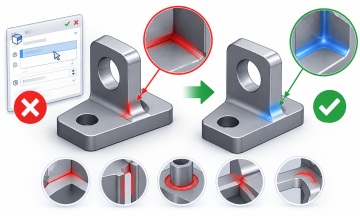
How to Edit "Dead" STEP Geometry in SOLIDWORKS | Direct Editing & Feature Recognition Tutorial
Learn how to edit imported STEP files and revive "dead" geometry in SOLIDWORKS using Feature Recognition and Direct Editing tools.
Download the STEP files used in this tutorial ($1):
https://ko-fi.com/s/12a24e3204
Included:
• STEP Model 1
• STEP Model 2
• PDF Tips & Tricks Guide
Imported CAD models often come without a feature tree, making them difficult to modify. In this tutorial, you'll learn how to convert imported geometry into editable SOLIDWORKS features and make design changes without access to the original CAD model.
In this tutorial, you'll learn how to:
• Edit imported STEP geometry
• Use Feature Recognition to recover model features
• Recognize extrudes, revolves, holes, fillets, and patterns
• Modify imported models without the original CAD file
• Use Direct Editing tools such as Move Face, Delete Face, Offset Face, and Replace Face
• Work efficiently with "dead" geometry and dumb solids
Topics Covered
• Importing STEP Files into SOLIDWORKS
• Feature Recognition
• Direct Editing
• Move Face
• Delete Face
• Offset Face
• Replace Face
• Editing Imported Parts
• Reverse Engineering Workflows
• Best Practices for Working with Imported Geometry
WEBSITE:
https://www.cadartifex.com/
CAD COURSES & TRAINING
https://www.cadartifex.com/courses/cadartifex
CADARTIFEX TEXTBOOKS & EBOOKS
https://www.cadartifex.com/textbook
CADARTIFEX ON UDEMY
https://www.udemy.com/user/cadartifex/
FACEBOOK
https://www.facebook.com/CADArtifex.Textbooks/
INSTAGRAM
https://www.instagram.com/cadartifex/
X (TWITTER)
https://x.com/CADArtifex
LINKEDIN
https://www.linkedin.com/company/cadartifex-projects/
Master CAD Design with CADArtifex
• CAD Textbooks & eBooks
• Video Courses & Training
• Practice Exercises & Projects
• Live Webinars & Workshops
 - 5441-360x220.png)
 - 9142-360x220.png)