
Recruiters don't just test software knowledge—they evaluate your design thinking, engineering fundamentals, and ability to explain your workflow clearly.
Q1. Part vs Assembly vs Drawing
Answer: A Part is a single 3D component. An Assembly combines multiple parts using mates. A Drawing is a 2D manufacturing document with dimensions and annotations.
Q2. FeatureManager Design Tree
Answer: Displays sketches, features, reference geometry, materials and model history for easy editing.
Q3. Boss-Extrude vs Cut-Extrude
Answer: Boss-Extrude adds material; Cut-Extrude removes material.
Q4. Fully Defined vs Under Defined Sketch
Answer: Fully defined sketches are constrained and stable; under defined sketches can still move.
Q5. Why fully define sketches?
Answer: Improves stability, preserves design intent and reduces rebuild errors.
Q6. Configurations
Answer: Create multiple versions of one part or assembly inside a single file.
Q7. What are Mates?
Answer: Assembly constraints such as Coincident, Concentric, Distance and Angle.
Q8. Fixed vs Floating Components
Answer: Fixed components stay in place; floating components move until constrained.
Q9. Interference Detection
Answer: Finds overlapping components before manufacturing.
Q10. Reference Geometry
Answer: Planes, axes and points used to build complex models.
Q11. Fillet vs Chamfer
Answer: Fillet creates rounded edges; chamfer creates beveled edges.
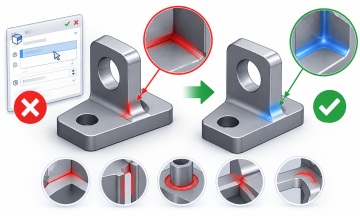
Q12. Sheet Metal
Answer: Tools for designing bendable metal parts and creating flat patterns.
Q13. Weldments
Answer: Structural frame design using standard profiles.
Q14. Motion Study
Answer: Simulates movement, collisions and animations.
Q15. Simulation
Answer: Performs static, thermal, fatigue and other engineering analyses.
Q16. Top-Down vs Bottom-Up
Answer: Top-down creates parts in assembly; bottom-up assembles separately created parts.
Q17. Supported File Formats
Answer: STEP, IGES, Parasolid, STL, DXF, DWG, PDF and more.
Q18. Design Intent
Answer: Build models that remain easy to modify without breaking.
Q19. Improve Assembly Performance
Answer: Use lightweight components, SpeedPak, suppress unnecessary features.
Q20. Why SOLIDWORKS?
Answer: Fast product development, accurate drawings, simulations, collaboration and manufacturing-ready documentation.
Become Job-Ready with the SOLIDWORKS Mastery Pack
Learn real-world projects, assemblies, sheet metal, simulations, drawings, and portfolio-building skills in one structured program.
Explore the Mastery PackFrequently Asked Questions
Is this enough for fresher interviews?
It covers the most common conceptual questions. Practice modeling projects too.
Should I build a portfolio?
Yes. Recruiters value practical projects alongside interview knowledge.
How often should I practice?
Spend 30–60 minutes daily modeling real mechanical parts.
 - 7074-360x220.png)
 - 3896-360x220.png)
