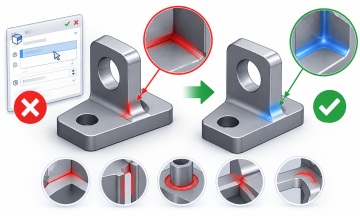
Sheet metal is one of the most widely used materials in modern manufacturing. From automotive body panels and aircraft components to electrical enclosures, HVAC systems, kitchen appliances, and industrial machinery, sheet metal plays a vital role in countless products we use every day. Its lightweight nature, strength, and ease of fabrication make it an ideal choice for engineers and manufacturers.
If you're planning a career in mechanical design, manufacturing, or product development, understanding sheet metal design is an essential skill.
What Is Sheet Metal?
Sheet metal is a thin, flat piece of metal that can be cut, bent, punched, and formed into different shapes while maintaining a relatively uniform thickness.
Common Sheet Metal Materials
- Mild Steel
- Stainless Steel
- Aluminum
- Copper
- Brass
- Galvanized Steel
Unlike machined components that are created by removing material from a solid block, sheet metal parts are manufactured by forming flat sheets into the required shape. This process is faster, more economical, and highly suitable for mass production.
Why Is Sheet Metal So Popular?
Manufacturers across industries choose sheet metal because it offers several distinct advantages:
- Durable & Lightweight: High strength-to-weight ratio.
- Cost-Effective: Extremely economical for mass production.
- Production-Friendly: Easy to fabricate, assemble, and compatible with automated manufacturing processes.
- High Precision: Offers excellent dimensional accuracy.
- Sustainable: Easy to repair and recycle.
Because of these benefits, sheet metal is extensively used in automotive, aerospace, construction, consumer electronics, industrial equipment, furniture, medical devices, and electrical products.
Common Sheet Metal Manufacturing Processes
Before becoming a finished product, sheet metal goes through several manufacturing operations:
- Cutting: The metal sheet is cut into the required shape using technologies such as laser cutting, plasma cutting, waterjet cutting, or CNC punching.
- Bending: Press brakes are used to bend the sheet into precise angles while maintaining the desired bend radius and material properties.
- Punching: Punching creates holes, slots, and cut-outs required for fasteners, ventilation, and assembly.
- Forming: Features such as louvers, embosses, ribs, and dimples are formed to improve strength and functionality.
- Welding & Assembly: Multiple sheet metal components are joined together to create complete assemblies and finished products.
Why CAD Software Is Important for Sheet Metal Design
Modern sheet metal products are designed digitally before manufacturing begins. CAD software allows engineers to create accurate 3D models while considering manufacturing constraints from the very beginning.
Using dedicated sheet metal tools, engineers can:
- Maintain uniform material thickness.
- Apply accurate bend radii.
- Calculate bend allowance and bend deduction.
- Generate flat patterns automatically to minimize production errors.
- Prepare parts efficiently for CNC laser cutting and fabrication.
This digital workflow saves time, reduces material waste, and improves manufacturing accuracy.
Why Learn SOLIDWORKS Sheet Metal?
SOLIDWORKS is one of the most popular CAD software packages used in mechanical design and manufacturing. Its dedicated Sheet Metal environment enables engineers to create production-ready parts quickly and efficiently.
With SOLIDWORKS Sheet Metal, you can:
- Create Base Flanges and Edge Flanges.
- Add Tabs, Hems, Jogs, and Miter Flanges.
- Design Lofted and Sketched Bends.
- Convert Solid Parts into Sheet Metal.
- Generate Accurate Flat Patterns & Professional Manufacturing Drawings.
Learning these tools not only improves your CAD skills but also helps you understand how real products are designed and manufactured.
Ready to Learn SOLIDWORKS Sheet Metal?
Understanding the theory behind sheet metal is important—but mastering it requires practical experience. The best way to build confidence is by designing real components using industry-standard software.
The Learn SOLIDWORKS Sheet Metal: From Concept to Creation course from CADArtifex is designed to take you from the fundamentals of sheet metal design to advanced manufacturing-ready workflows. Through structured lessons and hands-on exercises, you'll gain the practical skills needed to create professional sheet metal components with SOLIDWORKS.
What You'll Learn
- Sheet Metal Fundamentals (Material Thickness & Bend Radius)
- Bend Allowance, Bend Deduction & K-Factor
- Base Flanges, Edge Flanges, Tabs, Hems, and Jogs
- Lofted & Sketched Bends
- Forming Tools & Corner Treatments
- Flat Pattern Generation & Manufacturing-Ready Drawings
Why Enroll?
- Beginner-friendly lessons with real engineering examples
- Hands-on practical exercises & downloadable resources
- Lifetime access with free future course updates
- Certificate of Completion
Final Thoughts
Sheet metal is one of the most fundamental manufacturing technologies used across industries. Understanding how sheet metal parts are designed, bent, formed, and prepared for production is an essential skill for every mechanical engineer and CAD designer.
By combining manufacturing knowledge with SOLIDWORKS Sheet Metal tools, you can create accurate, efficient, and production-ready designs that meet real-world engineering requirements.
Whether you're just beginning your engineering journey or looking to enhance your professional skills, investing time in learning SOLIDWORKS Sheet Metal will help you stand out in today's competitive design and manufacturing industry.
 - 5441-360x220.png)
 - 9142-360x220.png)