
• Home
  • Webinars
  • Motion Study & Animation using a Robotic Arm in Fusion 360
Motion Study & Animation using a Robotic Arm in Fusion 360
  • 90 min

Motion Study & Animation using a Robotic Arm in Fusion 360

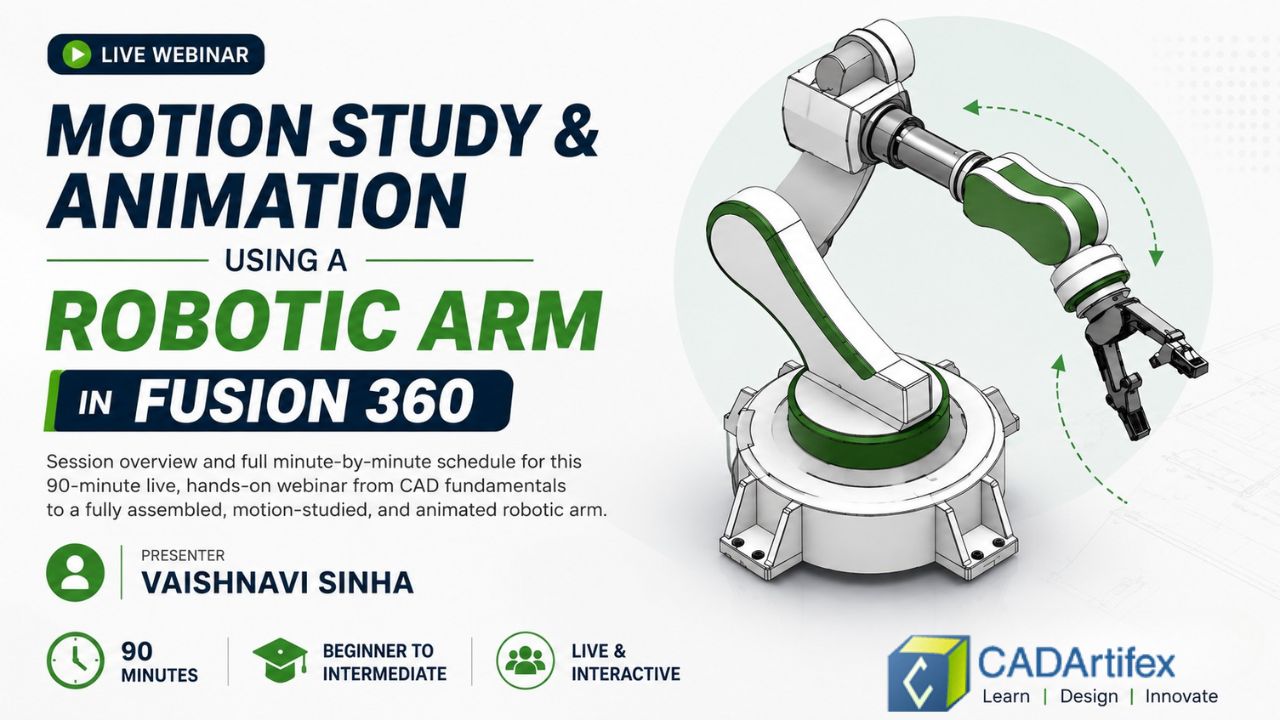
Learn how to assemble, animate, and perform a motion study using a robotic arm in Autodesk Fusion through a live, hands-on webinar. This practical session will guide you through the complete workflow, from assembling components and applying joints to creating realistic animations and analyzing motion. Perfect for beginner and intermediate CAD learners looking to build practical skills in Autodesk Fusion.

Session Overview & Schedule | Motion Study & Animation using a Robotic Arm in Fusion 360
CADArtifex  ·  Live Webinar

Motion Study & Animation using a Robotic Arm in Fusion 360

Session overview and full minute-by-minute schedule for this 90-minute live, hands-on webinar — from CAD fundamentals to a fully assembled, motion-studied, and animated robotic arm.
90 minutes
Beginner → Intermediate
Live & interactive
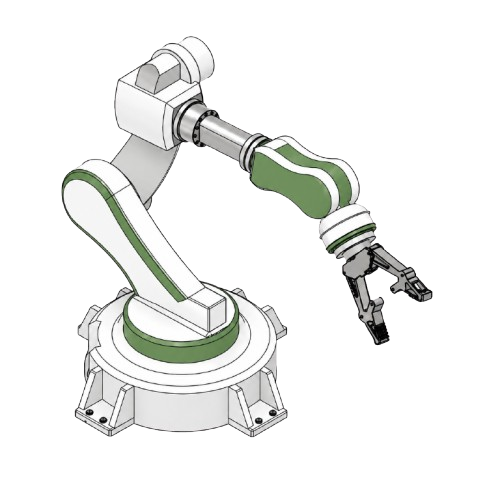
Robotic arm workspace simulation assembly inside Autodesk Fusion 360

What this session is about

This webinar is one continuous, live build. Starting from an empty Fusion 360 workspace, you'll assemble a real multi-joint robotic arm, run a Motion Study to bring its joints to life under realistic limits, and finish by directing and publishing an animation — all without leaving the software.

Along the way you'll get a practical, memorable answer to a question that trips up even experienced engineers: what's the real difference between Automation and Robotics? Every concept is tied back to real industries — automotive, warehousing, medical, and consumer products — so it sticks well beyond the session itself.

Understand Fusion 360 and its industrial applications
Explain Automation and why it matters to modern industry
Explain Robotics and where it is applied
Clearly differentiate Automation from Robotics
Assemble a multi-joint robotic arm in Fusion 360
Run a Motion Study across synchronized joints
Create and publish a professional animation

Minute-by-minute plan

Six parts, ninety minutes, timed to the topic.

P0
Welcome & Audience Engagement
0–10 MIN
  • 0–10 minWelcome & learning objectivesPollLet's start with a question: "Where have you seen a robotic arm at work?" By the end of today's session, you'll understand not only how these robotic arms function but also how to assemble them, simulate their motion, and create transitions in Autodesk Fusion 360.
P1
Foundations
10–25 MIN
  • 10–13 minWhat is Autodesk Fusion 360?Cloud-connected 3D CAD/CAM/CAE/PCB platform — why teams are adopting it fast.
  • 13–18 minCloud collaboration & industrial applicationsAutomotive, robotics, consumer products, and real-time team co-editing.
  • 19–25 minBenefits over traditional CAD softwareCost tracking, robust version history, unified file formatting, and live collaboration ecosystems.
P2
Automation & Robotics
25–40 MIN
  • 25–30 minWhat is Automation, and why does it matter?Definition, industrial examples, system advantages, and the modern smart-factory outlook.
  • 30–32 minWhat is Robotics?The explicit engineering discipline behind designing and managing physical, moving machines.
  • 32–35 minAutomation vs Robotics — the comparisonSide-by-side analysis mapping out distinct scopes, purpose profiles, design complexities, and application goals.
P3
Hands-On Assembly
35–55 MIN
  • 35–45 minAssembly vocabularyComponent constraints, Ground Elements, Rigid Groups, and setting precise Joint Origins.
  • 45–55 minLive build: assembling the robotic armLive BuildGround the base → join the shoulder → extend the arm → add the wrist → attach the functional gripper.
P4
Motion Study
55–70 MIN
  • 55–60 minWhat is Motion Study, and why does it matter?Understanding Degrees of Freedom (DoF), managing spatial Joint Limits, and deploying the Drive Joint tool.
  • 60–70 minLive demo: driving multiple joints togetherLive DemoSelecting parts, establishing limits, synchronizing compound paths, and performing strict collision checks.
P5
Animation
70–82 MIN
  • 70–74 minAnimation FundamentalsStoryboards, Manual Transforms, and Exploded Views — workspace navigation tools mapped out in order of operations.
  • 74–82 minLive build: building & publishing the animationLive BuildSetting opening frames → keyframing steps → directing dynamic cameras → exploded component reveals → publishing exports.
P6
Wrap-Up
82–90 MIN
  • 82–87 minKnowledge CheckQuizFive rapid-fire conceptual review questions covering the entire live sequence.
  • 87–90 minOpen floor Q&A & closingAnswering direct participant queries and addressing core mechanical assembly FAQs.

Meet Your Speaker

Vaishnavi Sinha

CAD Design Engineer & Fusion 360 Mentor

Vaishnavi Sinha is a CAD Design Engineer and Fusion 360 Mentor specializing in parametric 3D modeling, assembly design, and cloud-based product development. She combines technical expertise with mentorship to help designers transform creative concepts into production-ready mechanical models.
Autodesk Fusion 360 Mastery – Live Online Training
Continue your learning

Explore our Autodesk Fusion 360 Mastery – Live Online Training training

Master Autodesk Fusion 360 through a structured 15-session live training program. Learn sketching, 3D modeling, assemblies, engineering drawings, animation, rendering, and real-world product design with expert instructor guidance.

View Autodesk Fusion 360 Mastery – Live Online Training
Registration ends in
00Days 00Hrs 00Min 00Sec

No account needed. Enter your details to save your spot — we'll email you the joining link.

  • 10+ registered
  • Free
  • Recording shared
FREE Webinar
Register Free